
Best pickleball apps
The best pickleball apps in 2026, by what you actually need
Pickleball apps fall into a few honest categories — coaching, drills, rating, and finding games. Here is what each one is for, what to look for, and where PostPoint fits.
Pick the job, then the app
There is no one best pickleball app, because the good ones solve different problems. Figure out the job you need done first, then pick the category that does it — and combine a couple if your goals span more than one.
The four app categories
Most pickleball apps fit into one of these four categories. Each is strong at its own job and weak outside it.
Coaching apps
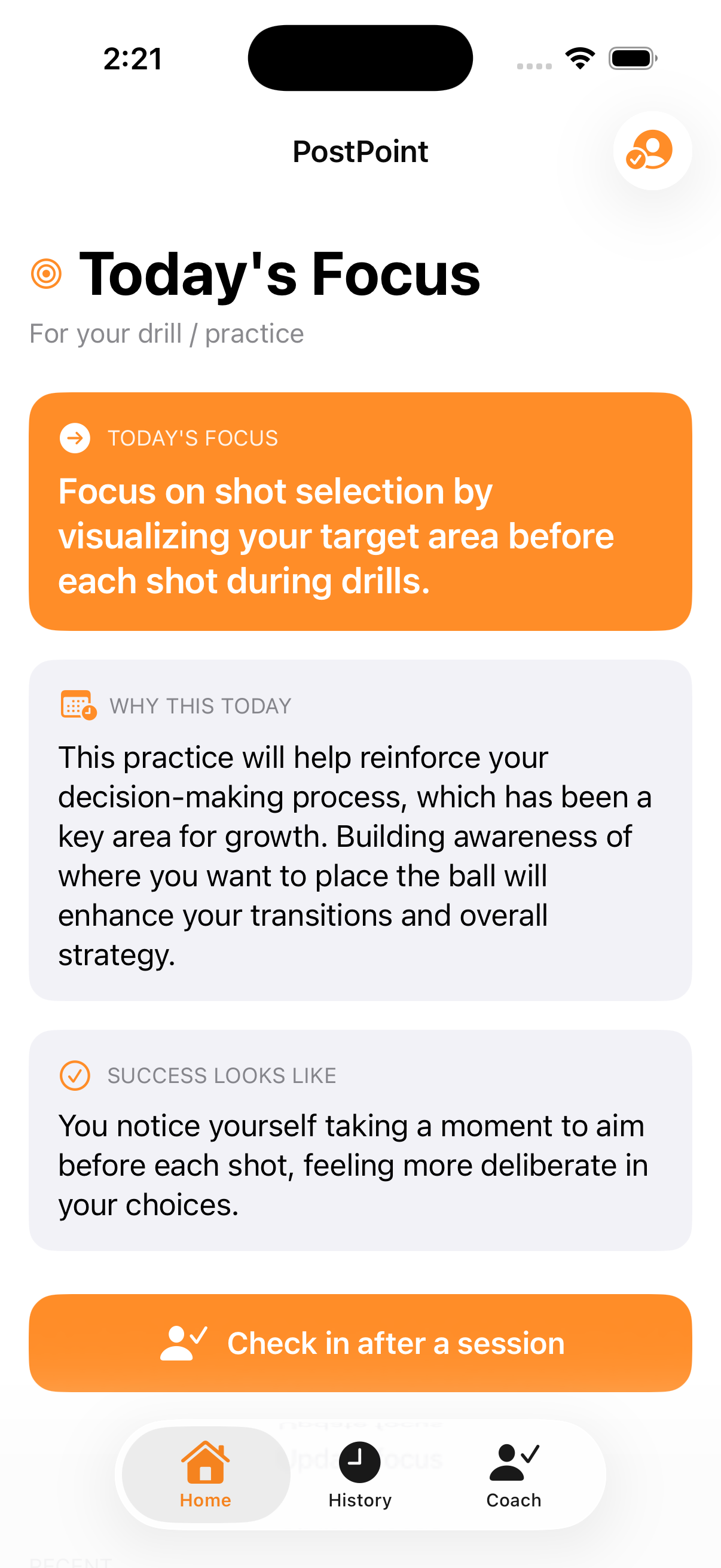
These tell you what to work on next, the way a coach would. The best ones speak real pickleball and learn your game over time rather than handing you a generic plan. PostPoint sits here: a focus before you play, a 20-second check-in after, and one thing to work on next.
Drill library apps
A searchable catalog of solo, wall, partner, and full-court drills with instructions or video. Great when you already know your weakness and just want execution ideas. Look for clear filtering by shot and good demonstrations.
Rating & DUPR tracking
Apps built around DUPR, the dynamic rating system, help you log matches, watch your number move, and find evenly matched opponents. Look for accurate match reporting and how easily it syncs with where you actually play.
Games, courts & partners
Community apps that surface open play, reservable courts, leagues, and players near your level. Best value comes from density — they only work if other players in your area use the same one.
What to look for in each category
The categories overlap less than their app-store descriptions suggest. Here is what each one tends to do well, and where it leaves a gap.
| Coaching | Drill library | Rating / DUPR | Games / courts | |
|---|---|---|---|---|
| Tells you what to work on next | Yes | You decide | No | No |
| Learns your game over time | Yes | No | Tracks results | No |
| Tracks your DUPR rating | No | No | Yes | Sometimes |
| Finds players & courts | No | No | Matching | Yes |
| A library to browse | No | Yes | No | No |
| Value depends on local density | No | No | Somewhat | Yes |
Where PostPoint fits
PostPoint lives in the coaching category. It is a pocket coach for rec players: a focus before you play, a 20-second check-in after, and one specific thing to work on next — getting sharper the more you check in. It is deliberately not a stat tracker, not a video tool, not a drills library, and not a social feed. Pair it with a community app to find games and a DUPR app to track your rating, and you have the bases covered.
Frequently asked questions
- Which pickleball app is the best?
- There is no single best app, because the apps solve different problems. The right pick depends on your goal: a coaching app if you want to know what to work on next, a drill library if you just want exercises to browse, a DUPR-based app for rating and matching, and a community app for finding games and courts. Many players use two or three together.
- Do I need more than one pickleball app?
- Often, yes. A coaching app like PostPoint tells you what to focus on and learns your game, while a separate community app helps you find people to play with and a DUPR-linked app tracks your rating from real matches. They overlap less than you might expect, so combining them is common.
- What should I look for in a coaching app?
- Whether it actually tells you what to work on next, in real pickleball terms, rather than handing you a static library to scroll. Look for advice that fits how you really play, a check-in that takes seconds instead of minutes, and a coach that learns your patterns over time. That is what separates coaching from a drill list.
- Is DUPR the same as the 2.5–5.0 skill levels?
- No. DUPR is a dynamic rating calculated from real match results, while the 2.5–5.0 levels are broader self- or club-assessed tiers. A DUPR-tracking app updates as you play; a coaching app like PostPoint uses your rough level to size sessions. They complement each other rather than competing.
Keep exploring
Pickleball Coaching App
What PostPoint is, how the check-in loop works, and how it compares to lessons and YouTube.
Pickleball Training App
A coach, not a training-plan generator — how the focus-and-check-in loop trains your game.
Pickleball Drills App
Why PostPoint isn’t a drill library — it tells you the one thing to focus on next.
DUPR Rating Explained
What DUPR measures, how it differs from the 2.5–5.0 levels, and how to actually raise it.
Pickleball Strategy Guide
Positioning, stacking, shot selection, and the doubles tactics that win close games.
Your next session starts with a focus
PostPoint is on iOS, free to start, and works without an account. Set your first focus, play, and check in after — your coach takes it from there.